
Keeping track of which vaccines are due, and when, is harder than it sounds. Different vaccines repeat on different cycles, and it is easy to lose track between annual vet visits. PetNid keeps the full schedule in one place and reminds you before anything is due.
Adding a vaccination: step by step
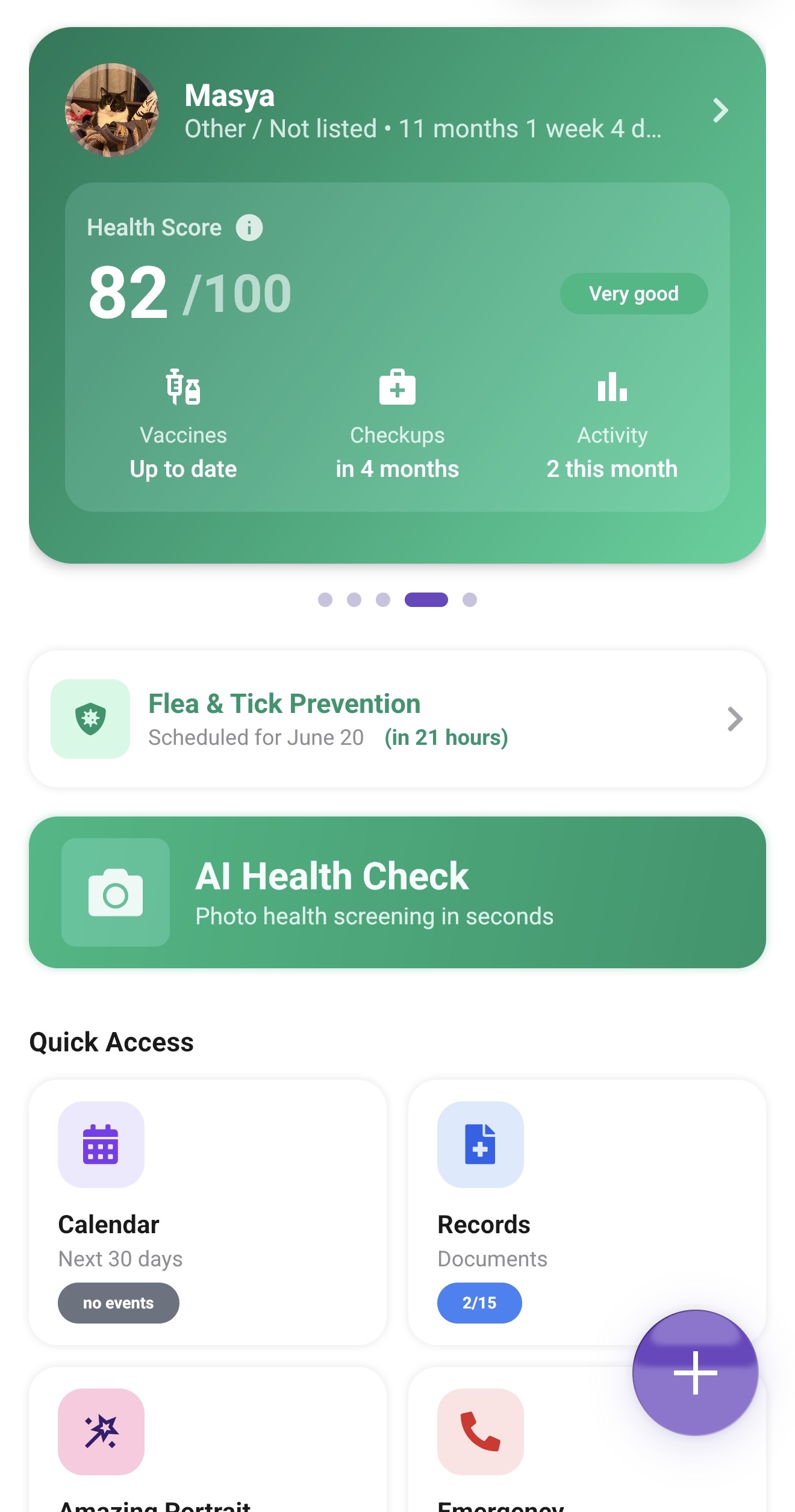
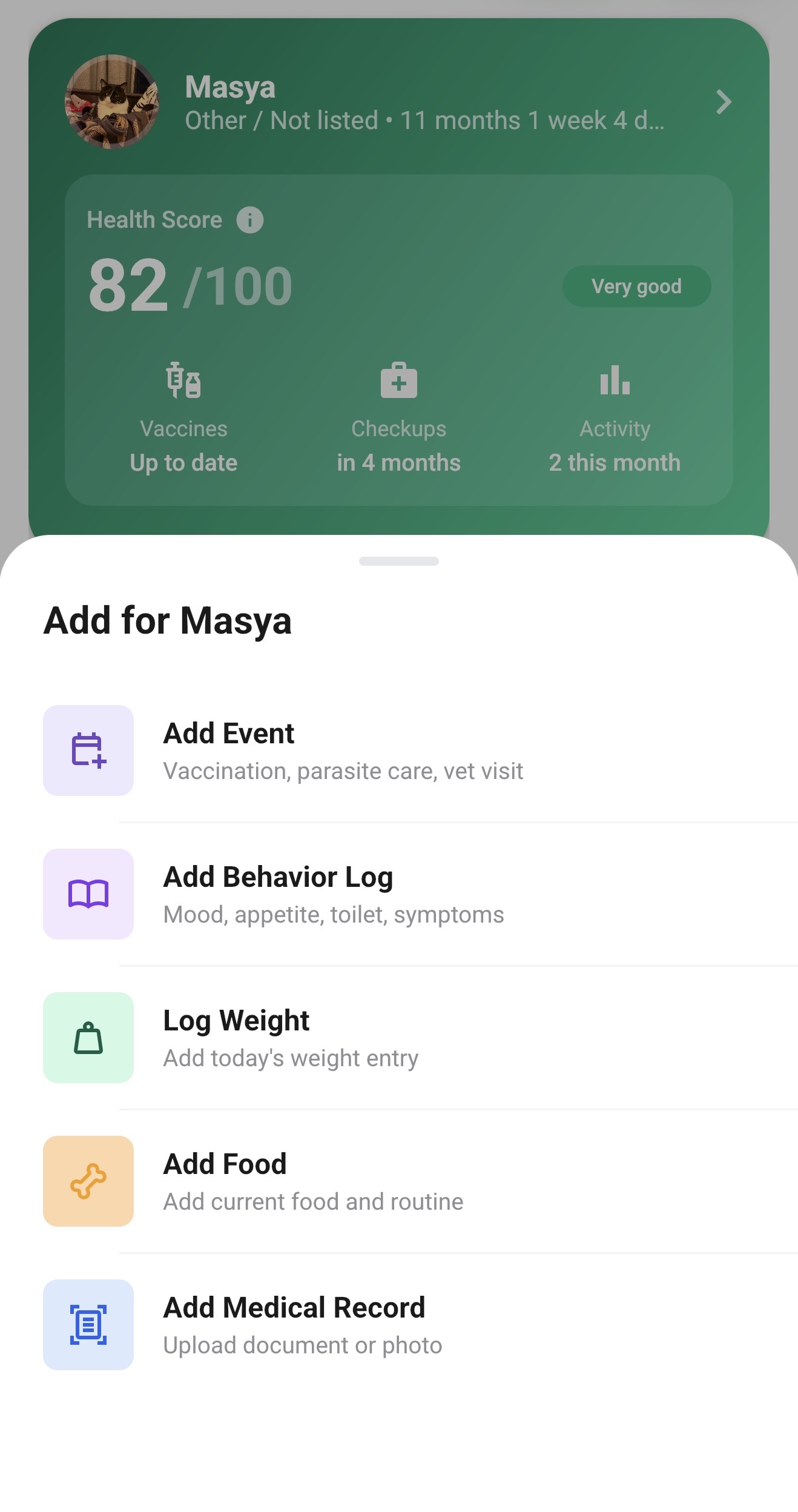
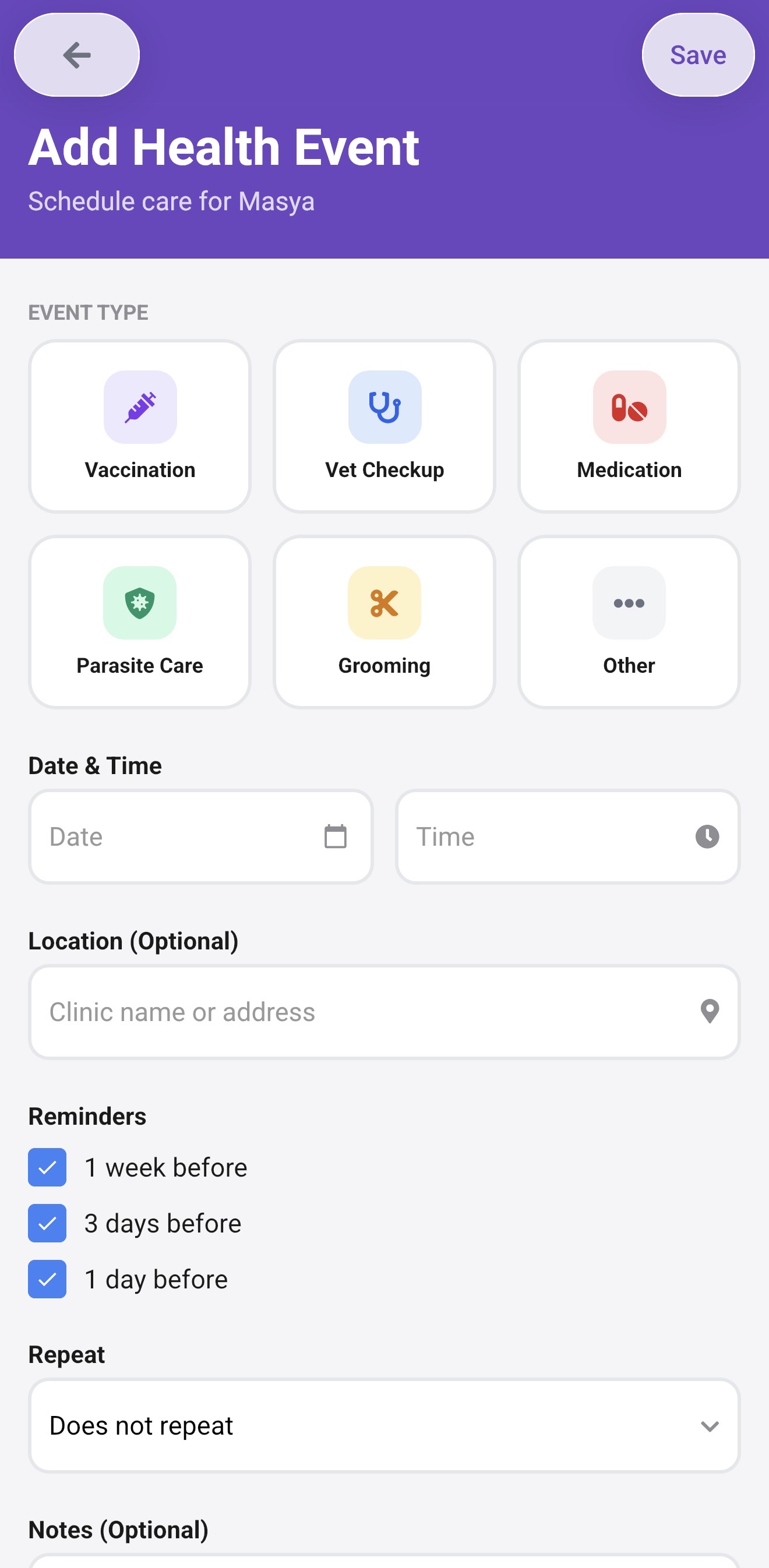
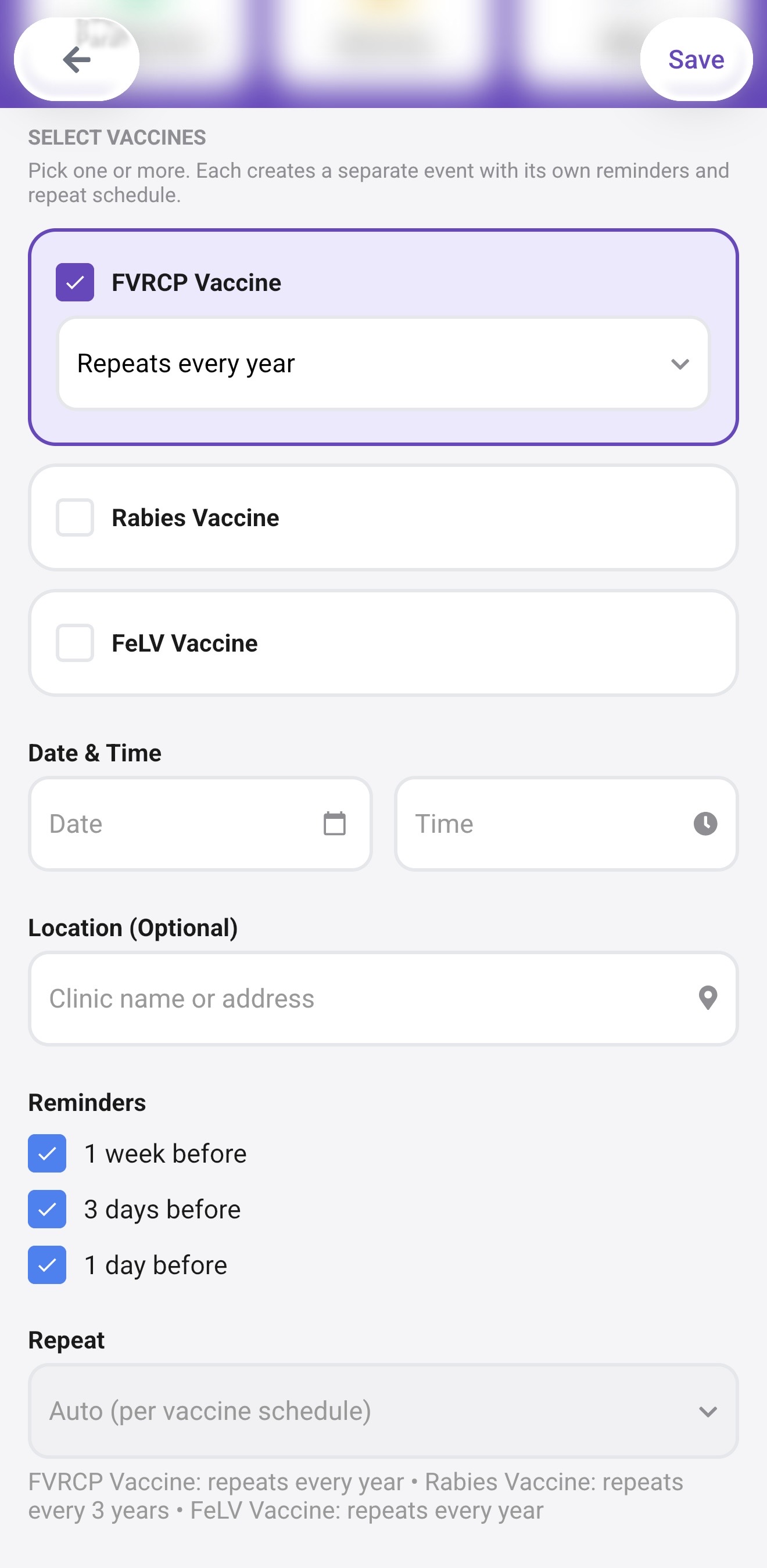
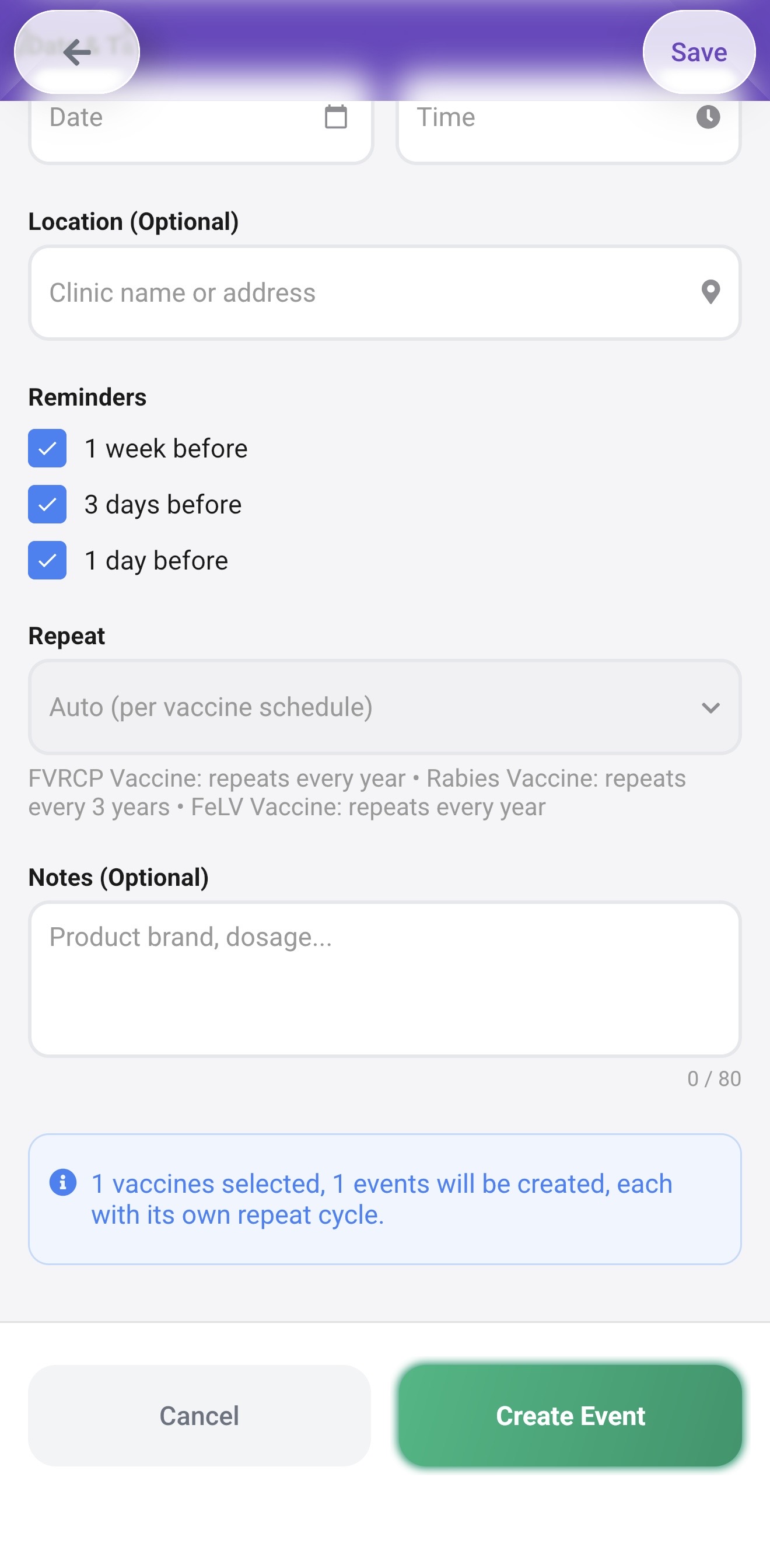
What happens after you save
Each vaccine becomes a separate event on your pet's Health Calendar. PetNid uses the date you entered to calculate the next due date and schedules reminders automatically. You will see the vaccine status reflected in your pet's Health Score under the Vaccinations category.
- The event appears on the dashboard under Today's Priority when it is due or coming up soon
- Reminders arrive as push notifications 1 week, 3 days, and 1 day before the due date
- The Health Score updates to reflect whether vaccinations are current or overdue
- Past vaccination events stay in your pet's history, which you can share with a vet
Logging a vaccination your pet already had
If your pet is already vaccinated and you want to bring their records into PetNid, follow the same steps but enter the date the last vaccination was given. PetNid will calculate the next due date from there and set up reminders going forward.
If you are not sure of the exact date, use the month and year from the vaccination certificate, or ask your vet to confirm the record.
Not sure which vaccines to add?
Start with the core vaccines for your pet's species, then add any lifestyle-based vaccines your vet recommends. For dogs, the dog vaccination schedule guide covers common core and non-core vaccines across Europe. For cats, the cat vaccination schedule guide explains kitten timing, indoor vs outdoor needs, and country differences. For a closer look at the feature itself, see the Pet Vaccination Tracker page.
Ready to set up your pet's vaccine schedule?
Download PetNid and add your first vaccination in under a minute.